Scada Pictures – Scada Symbol
Our Scada Software WinTr screen shot. You can see more scada screen pictures click here.

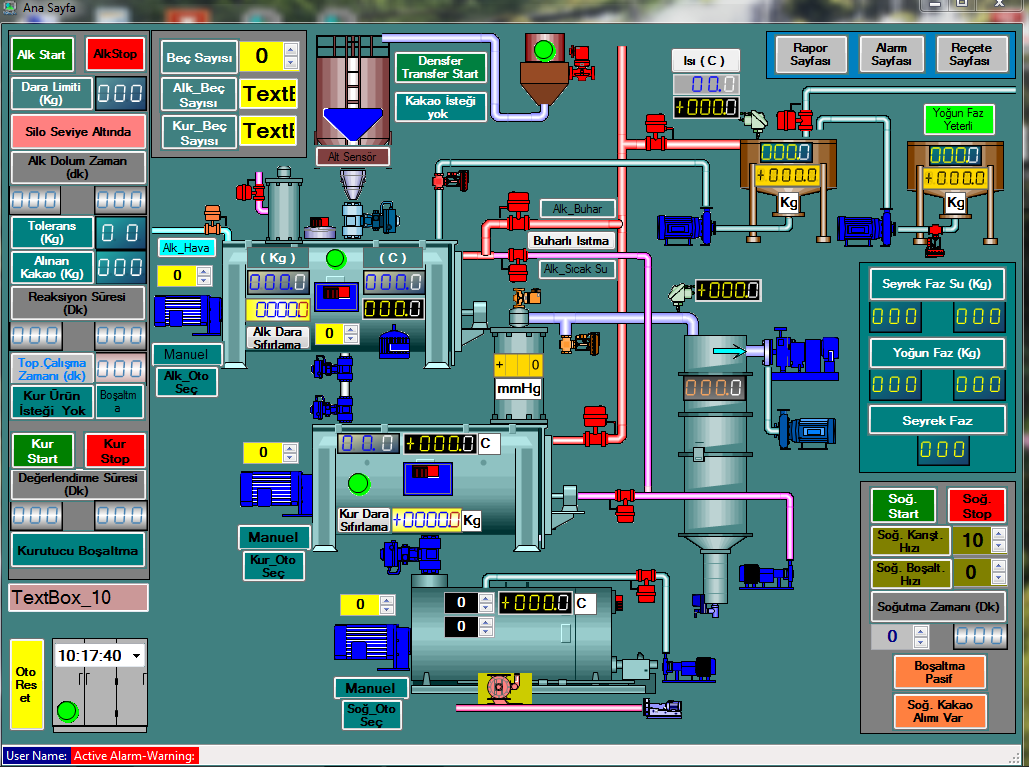
Supervisory control and data acquisition (SCADA) is a system of software. In automation projects, PLCs and other automatic devices automatically perform the necessary control operations.
WinTr Scada system made up by two section as Deveopment and Runtime and has following capabilities: What is SCADA? – About SCADA Software
In this article, we will explain how to make network connection settings of Focus HMI panels. The standard IP address of our Focus HMI panel is set as 192.168.0.11 At the first connection to the panel, you will need to connect using this ip address. You can connect your HMI panel directly to the computer….
Web Server module, which located in Control Panel, is used for remotely displaying WinTr Screens by using Web Browsers such as Internet Explorer, Firefox …etc. This can be made by specifying WinTr as Web Server. Then Screens can be accessed from any computer that has internet connection by typing http://IP_Address:Port_Number to browser’s address bar. WinTr…
You can access all files on the Focus HMI disk via FTP. You can download, upload or delete files. Note that you can damage system files and corrupt the operation of the HMI. For file transfer, we must first install the File Zilla program on our computer. You can download File Zilla from here https://filezilla-project.org/download.php?platform=win64….
In Focus HMI panels, there are situations where the on-screen keyboard is not called when entering values to labels. The simplest example of this is that the on-screen keyboard does not work in the simulation of Focus HMI, while the on-screen keyboard works in the Runtime in your project file. In these and similar cases,…