
home

PLC & SCADA

Wise SCADA – Version History

Wise SCADA is built on a continuously evolving architecture. Every update is inspired by real needs from the industrial field and aims to enhance performance, increase reliability, and improve the user experience. On this page, you can find all released versions along with their new features, fixes, and technical improvements in chronological order. Thank you for your valuable feedback that...

Read More

WinTr SCADA

You can download WinTr SCADA old versions from the links below. You can learn which version your project was prepared in by opening the .spr file with notepad. There are no SQL installation files in the setup files found in these links. To install SQL, download, install and run the current WinTr version. SQL will be installed on the first run. Then uninstall the WinTr you installed and download...

Read More

SOFT PLC

SOFT PLC

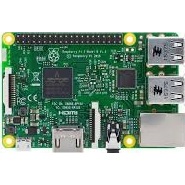
Raspberry Pi PLC. Orange Pi PLC. Windows PLC. Computer PLC. Windows PLC. Click here for Soft PLC site. Soft PLC can run on any operating system. You can turn computers, Raspberry Pi, or similar devices into PLCs. You can use GPIOs as digital inputs, digital outputs, PWM, serial ports, and SPI. You can also use USB serial ports, serial port-equipped barcode readers, and similar devices. You can...

Read More

Focus HMI Script Value Entry

In Focus HMI panels, there are situations where the on-screen keyboard is not called when entering values to labels. The simplest example of this is that the on-screen keyboard does not work in the simulation of Focus HMI, while the on-screen keyboard works in the Runtime in your project file. In these and similar cases, you can use scripts to enter values for tags. import...

Read More

Focus HMI Video Playback

You can play a video you have prepared on Focus HMI panels or a video from the internet. Playing an Uploaded Video You can transfer the video to the HMI panel with a USB stick or transfer files via FTP. If you copy your video to the desktop, you can keep it permanently. Otherwise, since the HMI is write protected, it can be deleted from the location where you copy the video. You need to prepare...

Read More

FocusHMI Boot image and Background image Replacement

You can change the background and opening images of FocusHMI panels as you wish. Focus HMI panels system files are write protected. Start Terminal Emulator from the “Applications” menu of your panel in order to write to the system files. Connected Focus HMI via VNC server (You can also do it with the keyboard and mouse.) Open the terminal screen and execute the following command and enter your...

Read More